
Introducing Harmony Contacts
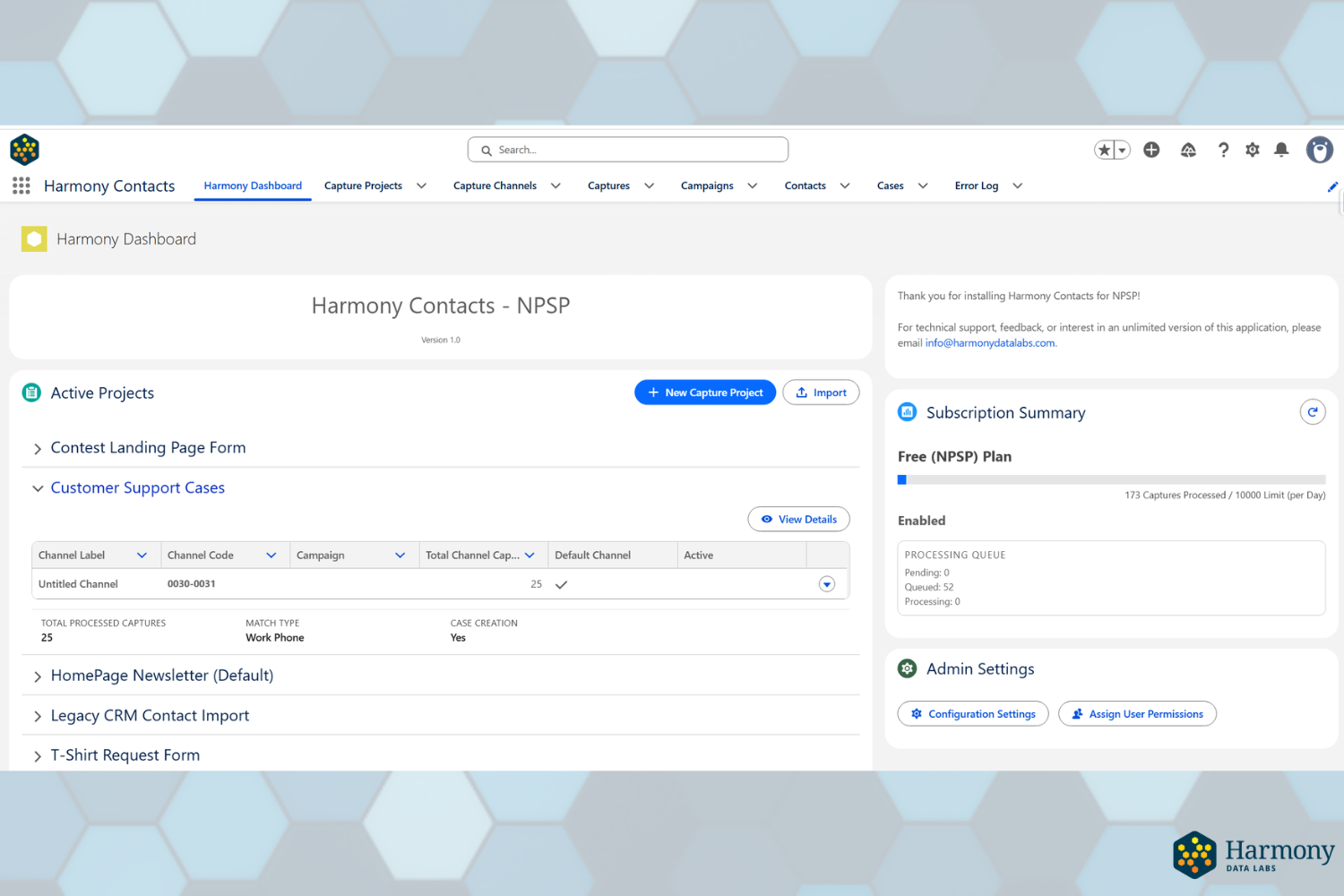
Harmony Contacts is a first-of-its-kind native integration utility for Salesforce. This powerful solution allows Marketers, Fundraisers, or Customer Service specialists to ingest and organize contact data from a central hub within your CRM.
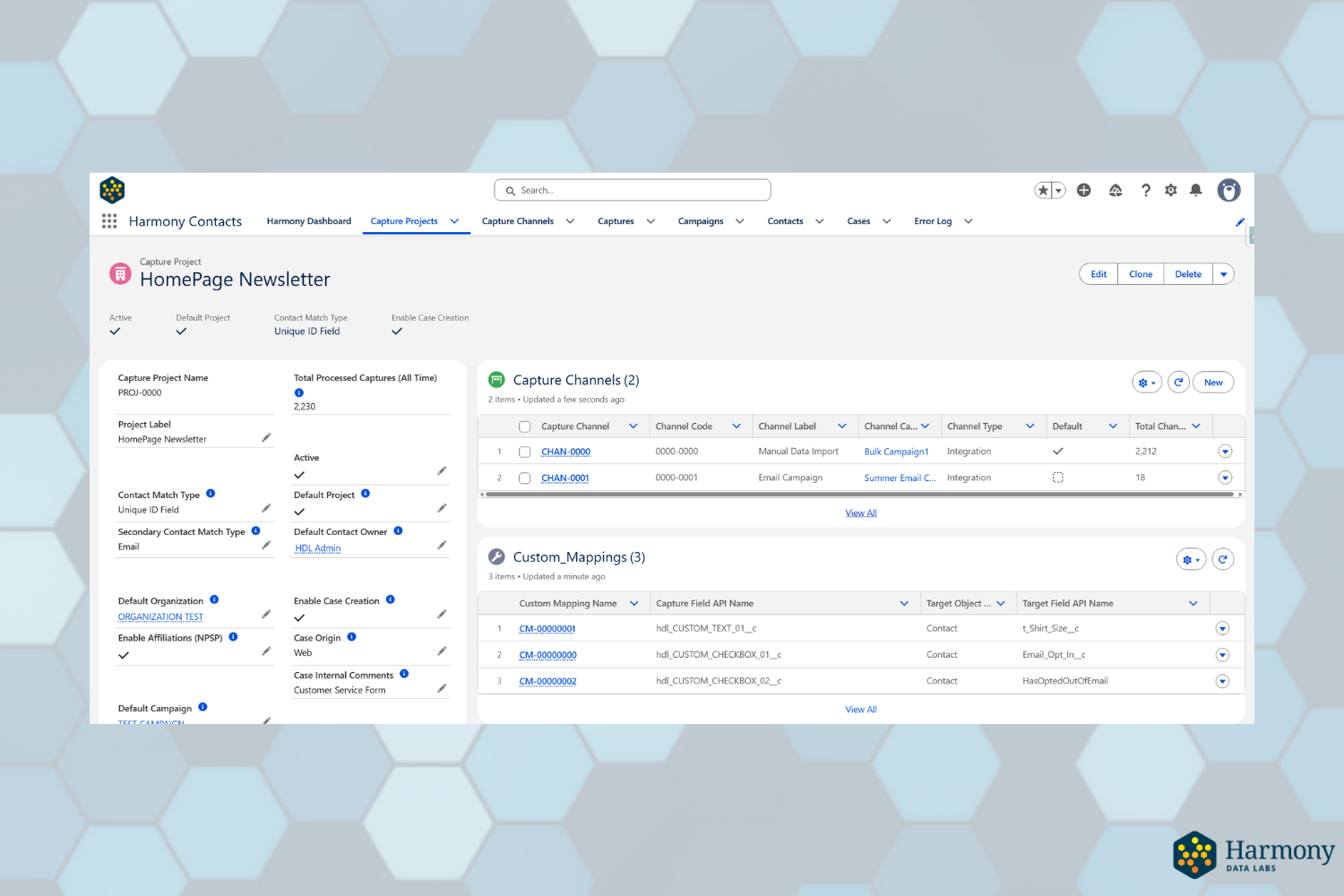
Customize how Harmony Contacts queries existing contact data. Prevent duplicate contacts before they happen. Configure field mappings and query logic from a single page.

Harmony Contacts can automatically assign contacts to existing Campaigns, turning your incoming B2C data into actionable marketing opportunities.
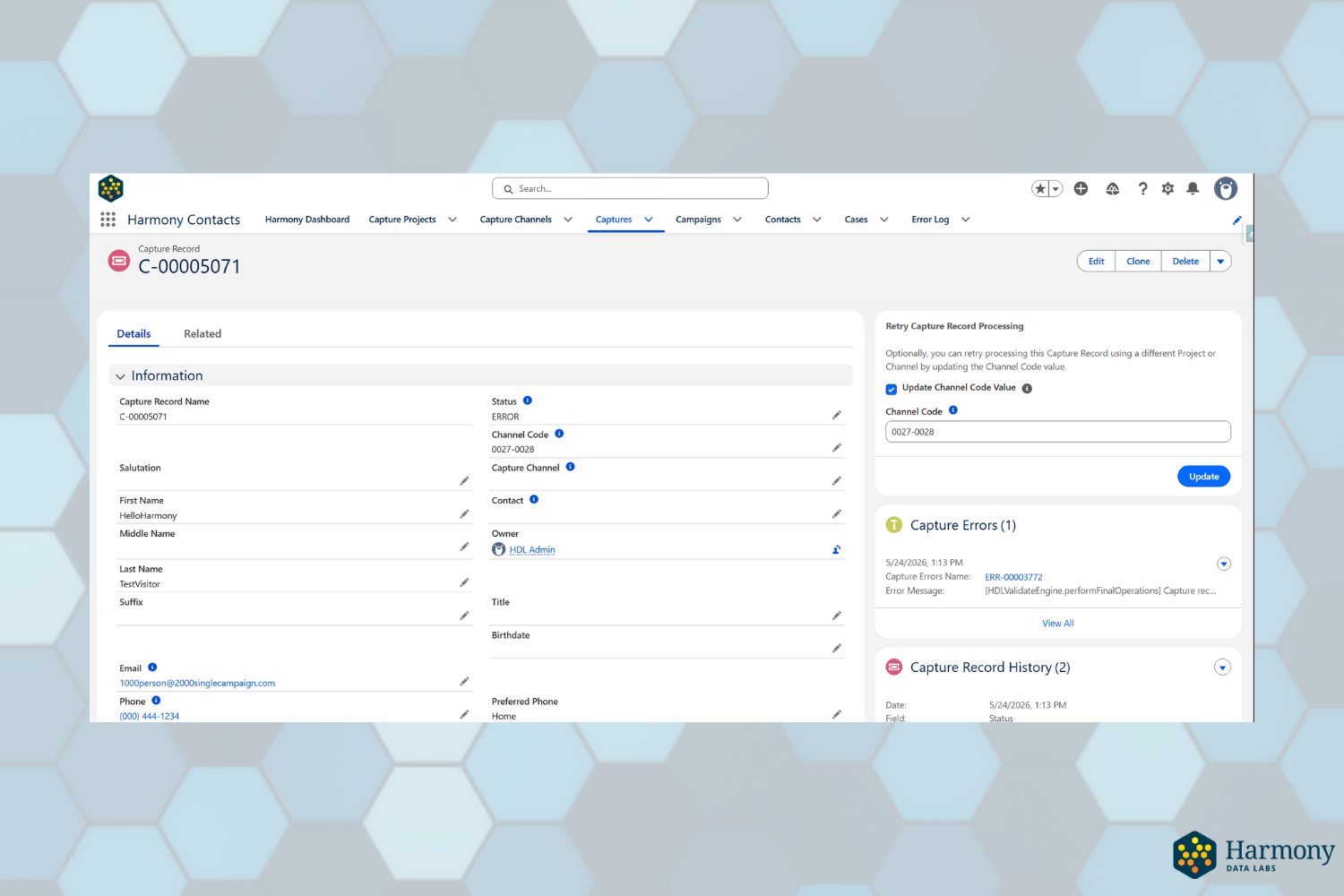
Robust Error Handling Features, including manual and automatic re-processing.
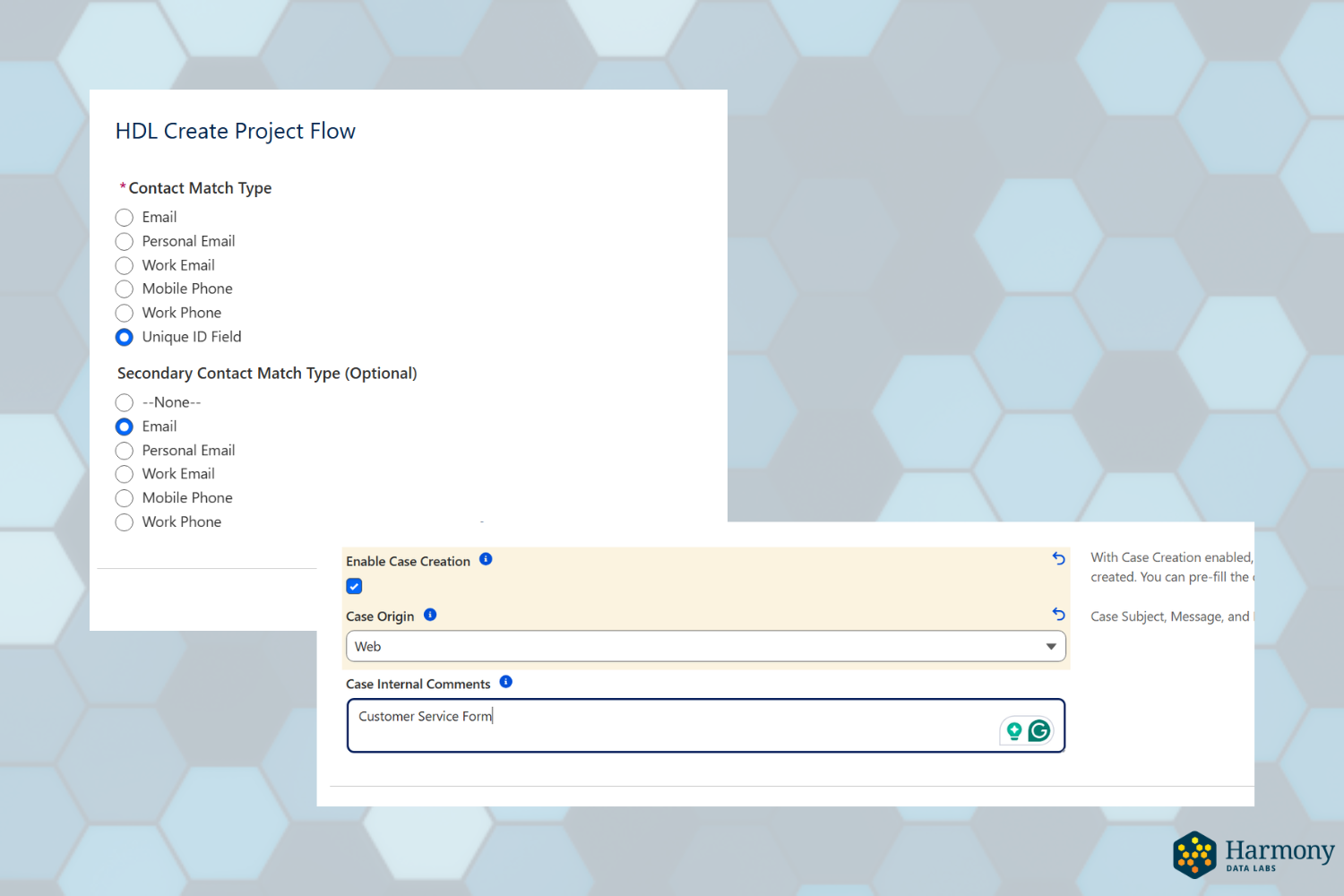
Automatically create Case data, and specify multiple Contact querying options.
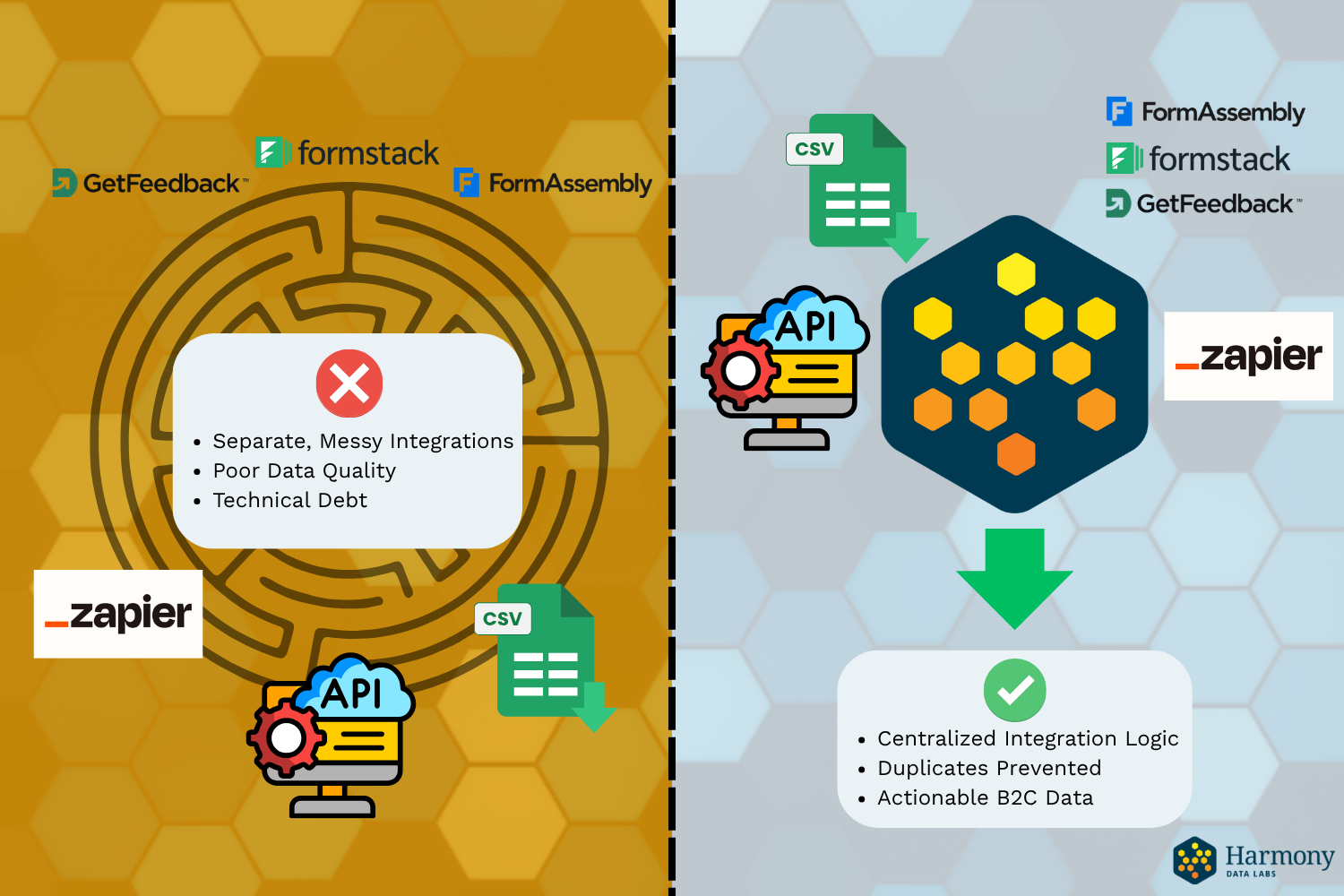
Avoid the maze of complicated integrations from different sources and inconsistent processing criteria. Harmony Contacts handles it all.

Replace your complicated declarative logic with a single tool native to your Salesforce environment.
How it Works
Install in your Salesforce Org
Configure your rules
Connect your data sources
Track your engagement
Install Harmony Contacts from AgentExchange (pending approval) in minutes. No middleware, no external credentials to manage.
Set your deduplication logic and contact matching criteria once. Harmony handles the rest automatically.
Whether your website hosts multiple landing pages, customer support webforms, external API integrations, or large .csv files, Harmony Contacts processes it all.
Track conversions across multiple data sources. Automatically associate either new or existing Contact records to Campaigns, including in bulk. Optionally create Case records automatically for each Contact.
See it in Action
A full product walkthrough is coming soon. In the meantime, install free and explore your org.
Powerful & Secure Design
Harmony Contacts is built natively on the Salesforce platform. Your data never leaves your org. There are no external servers, no third-party middleware, and no credentials stored elsewhere.
Your Salesforce Administrator controls who can configure rules and trigger Contact Processing, so nothing runs without your explicit authorization.
AgentExchange Security Review (pending)
Native Salesforce platform, no external data storage
Follows the Salesforce Permission Set-driven security model for object access
Pricing
NPSP Version
FREE
Process up to 10,000 contacts per day. Free for 501(c)3 nonprofits with NPSP installed
NPSP installation required
Enterprise
Pricing TBD
Unlimited Contact Processing for NPSP, Sales Cloud, and Nonprofit Cloud Organizations.
Enterprise + Harmony Surveys Add-on
Pricing TBD
Everything in Enterprise + Extended Survey Functionality
Frequently Asked Questions
Take a look at the FAQ or reach out anytime. If you’re feeling ready, go ahead and request a demo.
-
You can connect Harmony Contact’s custom object to external Integration Services (such as Zapier, FormAssembly, Workato, and many others). You can also import a single list of contacts and assign them to one—or many—campaigns in a single step.
-
Yes. Harmony Contacts automatically detects Person Account Settings in your org and adapts its processing to either point to the Contact or Account object.
-
The technical limit for the Data Import Wizard is 50,000. Processing limits are partially determined by Salesforce governor limits along with other asynchronous processes or API call limits within your org. Because Harmony Contacts relies on Salesforce’s Apex architecture, custom integrations should follow Salesforce best practices.
-
Inspired by the Power of Us NPSP model, we are committed to providing free or discounted applications to the nonprofit community. The NPSP version of Harmony Contacts is free to install.
-
You can reach us anytime via our contact form below. We aim to respond quickly—usually within one business day.
-
Harmony Contacts uses a combination of asynchronous apex processes to query, insert or update Salesforce Contacts or related objects.
A single contact inserted as a “Capture” Record will process in a few seconds. Multiple contacts inserted in batch will take between 2 and 10 minutes. Final timing depends on the number of unique Campaign Members that need creation.
Ready to Harmonize Your Contacts?
Request a Demo
Harmony Contacts NPSP is currently undergoing review for the Salesforce AgentExchange Platform. In the meantime, NPSP users can request access to a free BETA version or schedule a free demo.
Fill out some info, and we will be in touch shortly. We can’t wait to chat!